Choose how much scroll you get
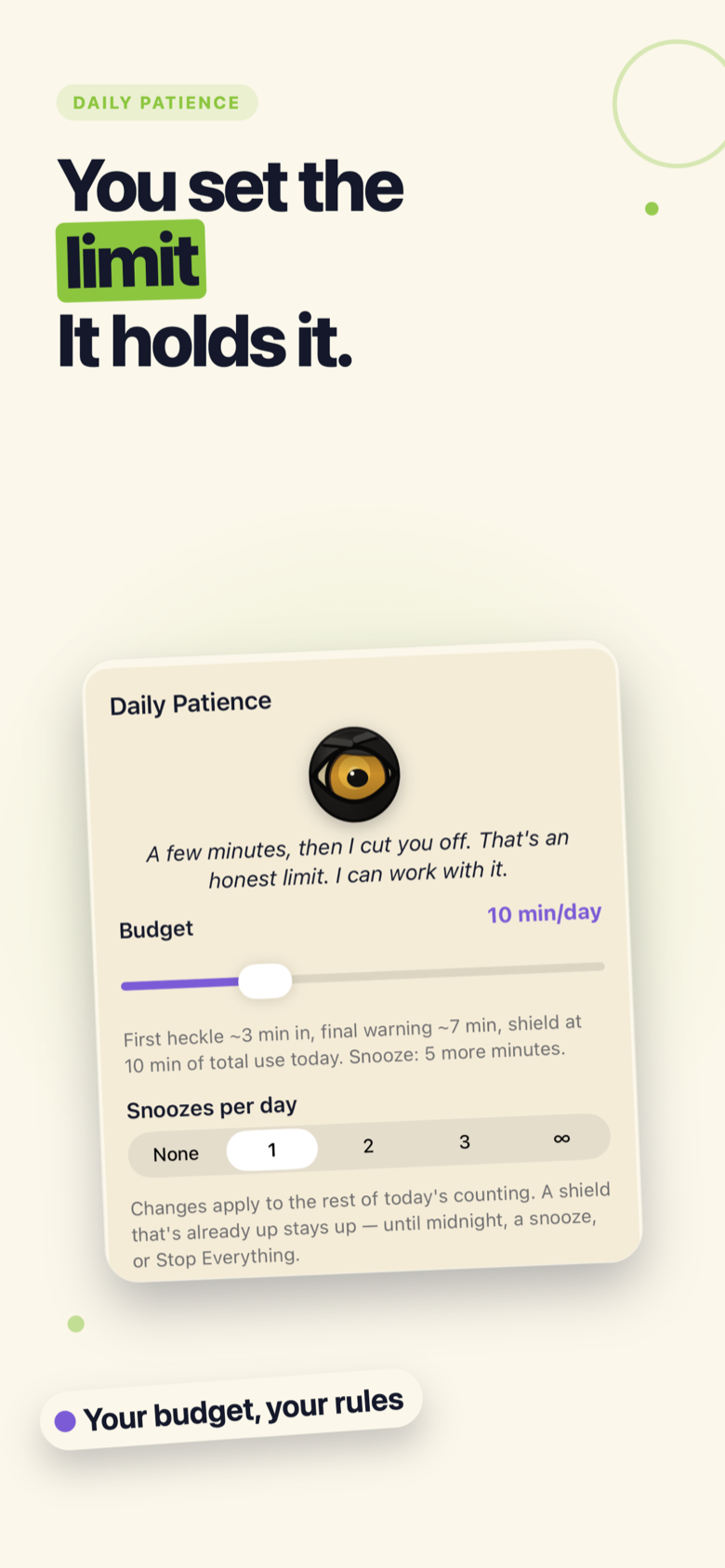
Pick how many minutes of scrolling you get before the shield drops. Or go Instant and the eye pounces the second you open the app.
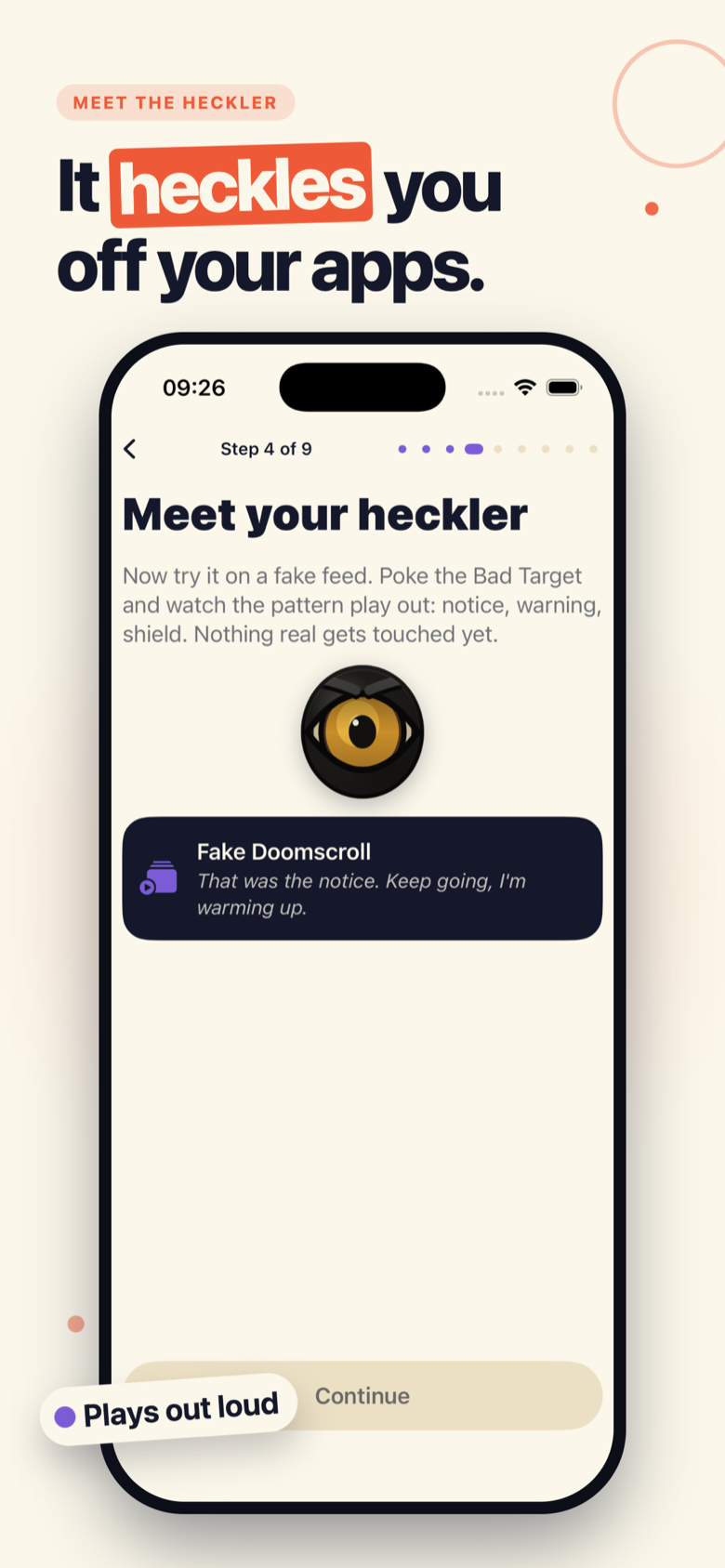
A smug eye lives on your iPhone. Open the apps that eat your day and it heckles you out loud. Keep pushing and it shields them shut.
Launching soon on iPhone. The eye is already judging you.
Straight from the phone
How it works
TikTok, Instagram, X, Reddit, YouTube. The ones you open without deciding to. Stop That watches for them.
Out-loud voice clips the moment you open one. Funny the first time. Less funny the third. That’s the point.
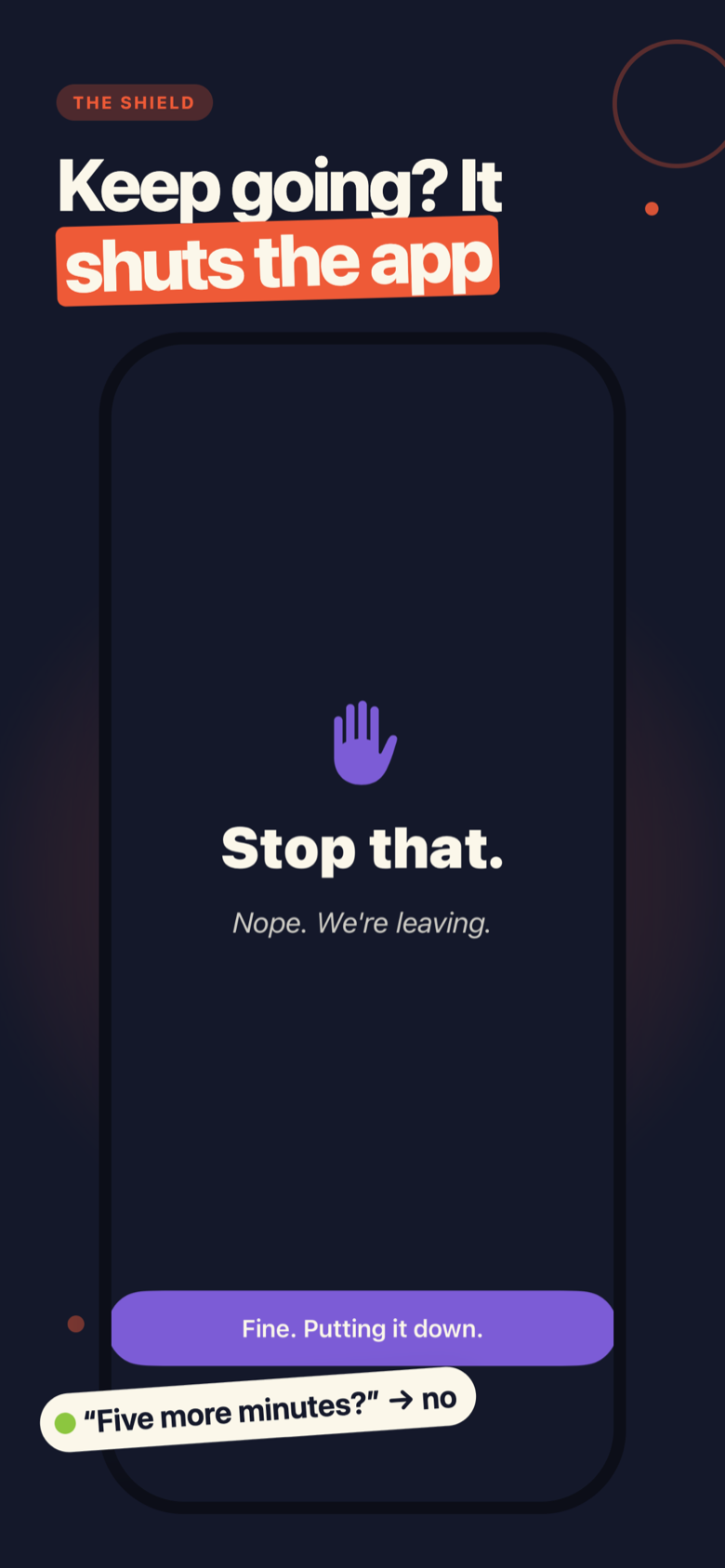
Keep pushing past the heckle and the app closes. No password, no dialog to argue with. It’s shut.
Time saved, blocks landed, streaks kept. Proof the eye is annoying for a reason.
Under the hood
Enough friction to make you think twice. Never enough to lock you out for real.
Pick how many minutes of scrolling you get before the shield drops. Or go Instant and the eye pounces the second you open the app.
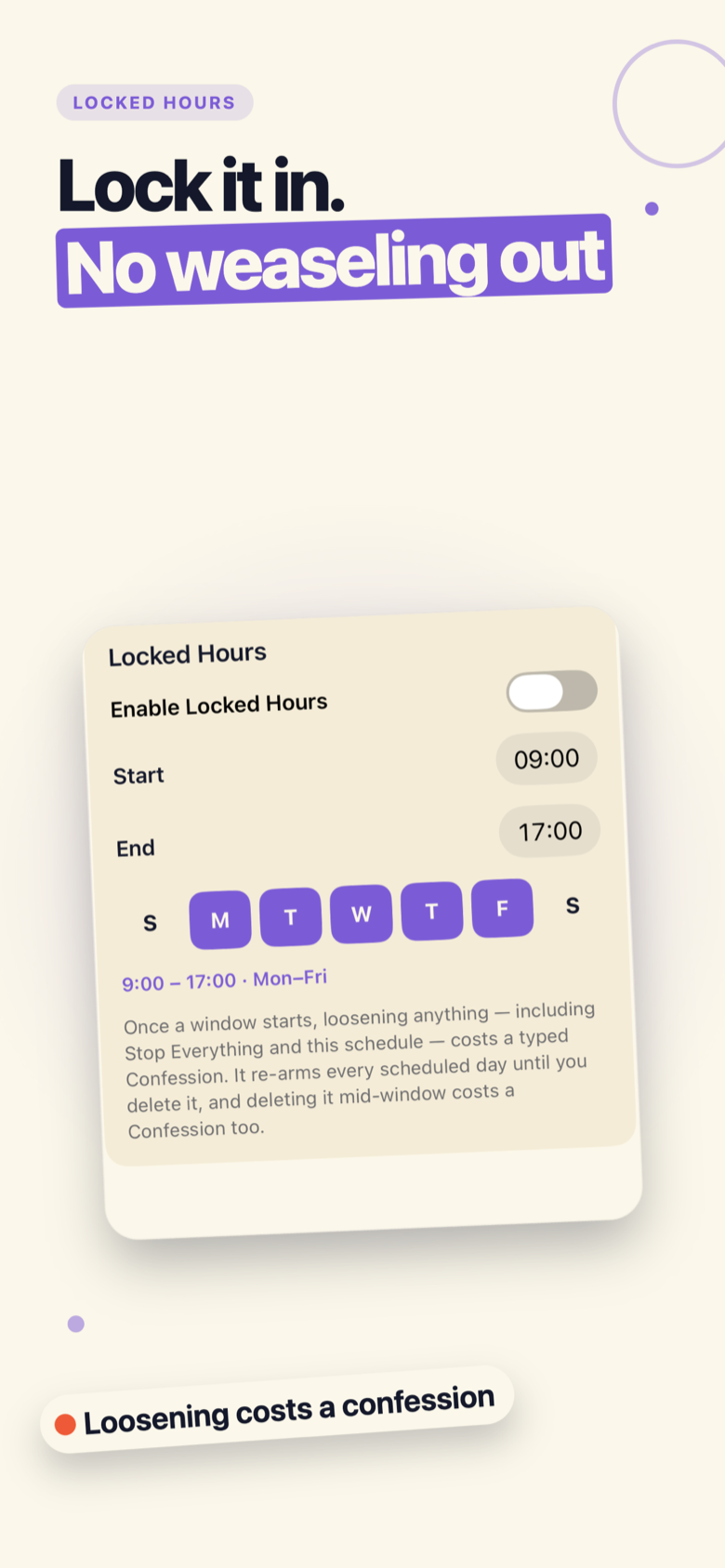
Put your rules on a schedule. Tighten during work or bedtime and they can only get stricter, never looser, until the window ends.
Switching enforcement off asks for a short typed confession. Deliberate enough to catch a weak moment. Never impossible.
A single button drops all enforcement at once. Nothing ever traps you. The exit is always one tap away.
Private by design
Your apps, your usage, your settings never leave the iPhone. No account to make. No tracking. No data sold to anyone, ever.
Stop That runs on Apple’s Screen Time (Family Controls) on your own device. It is not parental controls, and it never watches anyone else. Only you, judged on your own phone.
Pricing
No free trial. The eye doesn’t do freebies. The App Store handles the whole purchase. Enforcement stops automatically if your subscription lapses.
$7.99/week
Try the nagging by the week. Cancel whenever the eye gets too smug.
Billed weekly through the App Store.
$49.99/year
A full year of getting heckled off the scroll, for less than a couple of months of weekly.
Billed yearly through the App Store.
Subscription lapses? The shields come down on their own. No hostage-taking.
Questions, fair enough
Yes. Stop That uses Apple’s Screen Time (Family Controls) to shield the apps you pick. Push past the heckle and the app closes. This is not a reminder you swipe away.
You always stop enforcement. Nothing traps you. It takes a short typed confession. Locked Hours freezes your settings on a schedule, so a weak moment doesn’t undo your whole day. Deliberate, never impossible.
Completely. Your apps, usage and settings never leave your iPhone. There’s no account, no cloud, no tracking, and nothing is ever sold. It uses Screen Time on your own device and never watches anyone else.
Enforcement stops automatically when your subscription lapses. The shields come down on their own. The eye won’t lock your apps to make you re-subscribe.
iPhone only for now. Stop That is built on Apple’s Screen Time, which doesn’t exist on Android. No timeline to share yet.
They play out loud, so they respect your silent switch and volume like any other sound. Want the shield without the commentary? You can keep the enforcement and turn the voice down. The eye stays judgmental either way.
Last call before you scroll off
It heckles, it shields, and it lives entirely on your iPhone.
Launching soon. iPhone only.